Microsoft Teams Phone System for Small Businesses: What NQ Businesses Need to Know
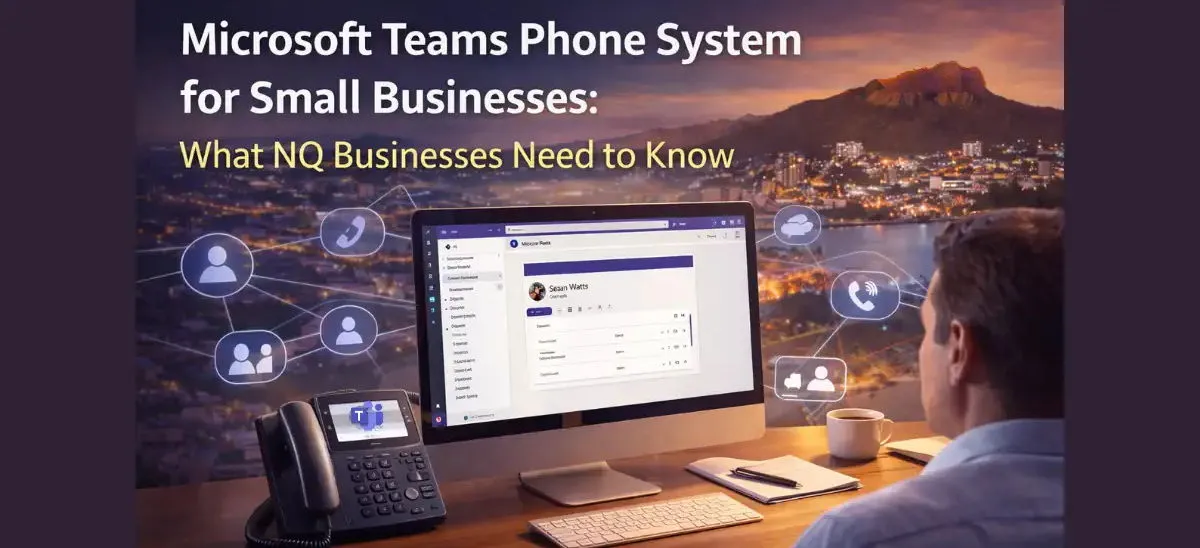
If your North Queensland Business uses Microsoft Teams, you’re already halfway to having a modern phone system.
But here’s what many small and medium businesses don’t realise:
Microsoft Teams by itself is not a full business phone system.
It’s an outstanding collaboration platform. But without proper telephony integration, it’s missing the features most growing businesses rely on every day.
What Is a Microsoft Teams Phone System?
A Microsoft Teams phone system turns Microsoft Teams into a complete business phone solution, allowing your business to make and receive external calls to landlines and mobiles, not just internal Teams calls.
On its own, Teams is a collaboration platform for chat and meetings. When you add Teams Phone licensing and proper PSTN connectivity, it becomes a cloud-based PBX. That means your business can use professional features like auto attendants, call queues, voicemail to email, call routing, and mobile-to-desktop call transfer, all within the familiar Teams app.
For small businesses in North Queensland, this means you can replace traditional on-site phone systems with a flexible, modern solution that works from the office, home, or on the road, without needing bulky hardware or complicated infrastructure.
What Microsoft Teams Does Well
Microsoft Teams is built for:
- Internal chat
- Video meetings
- File sharing
- Collaboration across devices
- Working remotely
For small to medium businesses, it’s often already part of Microsoft 365. But when it comes to handling customer calls professionally, things get limited.
What Features Are Missing From Microsoft Teams by Default?
Out of the box, Teams does not automatically include:
- Professional IVR (“Press 1 for Sales”)
- Call queues
- Advanced call routing
- Reception hunt groups
- On-hold music
- Detailed call reporting
- CRM screen pop integration
Without proper configuration and PSTN connectivity, Teams can’t fully replace your traditional PBX.
That’s where many businesses hit a wall.
Is Microsoft Teams Already a Business Phone System?
The Common Scenario We See in Townsville
A small business moves to Microsoft 365. They start using Teams internally. Someone asks: “Can we just use this as our phone system?”
Technically - Yes.
Professionally - Not without the right setup.
When reception is away…
When multiple customers call at once…
When you need reporting…
When a sales team needs call tracking…
That’s when limitations become obvious.
Can Microsoft Teams Replace a Traditional PBX?
Yes - with proper configuration.
So How Do You Turn Teams Into a Real Business Phone System?
By integrating Microsoft Teams Calling properly.
With the right setup, Teams becomes:
- A complete cloud PBX
- A system that handles public phone calls
- A professional front-of-house solution
- A scalable phone platform for growing teams
Features include:
- Auto attendants and IVR menus
- Call queues (no more busy tones)
- Mobile and desktop calling from the same business number
- Voicemail to email
- Call recording (where required)
- CRM integration
- Cloud-based redundancy
 No onsite phone system. No ageing hardware.
No separate conferencing tools.
Just one integrated communication platform.
Is Microsoft Teams Calling Suitable for Small Businesses
Yes. Absolutely! For smaller businesses, every call matters.
Microsoft Teams Calling is ideal for Small Businesses as it helps improve:
- Cost efficiency
- Scalability
- Simplicity
- and mobility.
As a small business, we understand you don’t have spare reception staff, you can’t afford missed opportunities, you can’t afford complicated IT systems.
A properly configured Teams phone system gives you:
- Enterprise-level capability
- Without enterprise-level complexity
- Without expensive legacy infrastructure
Why Choose XRX for Microsoft Teams Calling?
This is where the difference really shows. Many providers can sell a cloud phone system. Very few provide local support.
At XRX Business Centre:
- Our support team is based locally.
- You speak to real people who understand your business.
- We help configure your system correctly from day one.
- We’re available when you need adjustments.
- We assist with onboarding and staff training.
Our customers consistently tell us:
"We love XRX because..."
"They answer their phone.”
“They fix things quickly.”
“They explain things clearly.”
That’s not accidental, that’s our model.
Is It Time to Review Your Phone System?
It’s time for a 15-minute review if:
... You’re using Microsoft Teams but still relying on an old PBX
... Your customers ever hit a busy tone
... Reception coverage is a challenge
... You’ve never reviewed your phone setup
We’ll show you: What you already have; What’s missing; How to improve it; Whether it makes financial sense
No obligation. No pressure. Just clarity.
Complete the short form below to book your Free Phone System Review.