CommBox vs a Regular TV: What Actually Makes Sense for Your Meeting Room
Does CommBox Make Sense for Your North Queensland Meeting Room?
A lot of Townsville and North Queensland businesses setting up or refreshing a meeting room default to the obvious option: mount a TV on the wall, plug in a laptop when needed, done. It works, until the meeting involves someone dialling in remotely, someone wanting to sketch out an idea on screen, or two teams trying to share a document without emailing files back and forth mid-conversation. That's usually the point where a regular TV starts to show its limits.
Here's an honest comparison of what each option actually offers.
What a regular TV does well
A standard TV is cheap, familiar, and simple. If your meeting room is mostly used for presenting slides to a room full of people already sitting there in person, it does the job perfectly well. There's no real learning curve, and there's nothing extra to maintain or update.
Where it falls short is anything interactive or collaborative. No touch input, no built-in video conferencing, no way for someone in the room to annotate a document live, and no easy way for a remote participant to feel like they're actually part of the discussion rather than watching from a small window in the corner of someone's laptop screen.
What CommBox actually adds
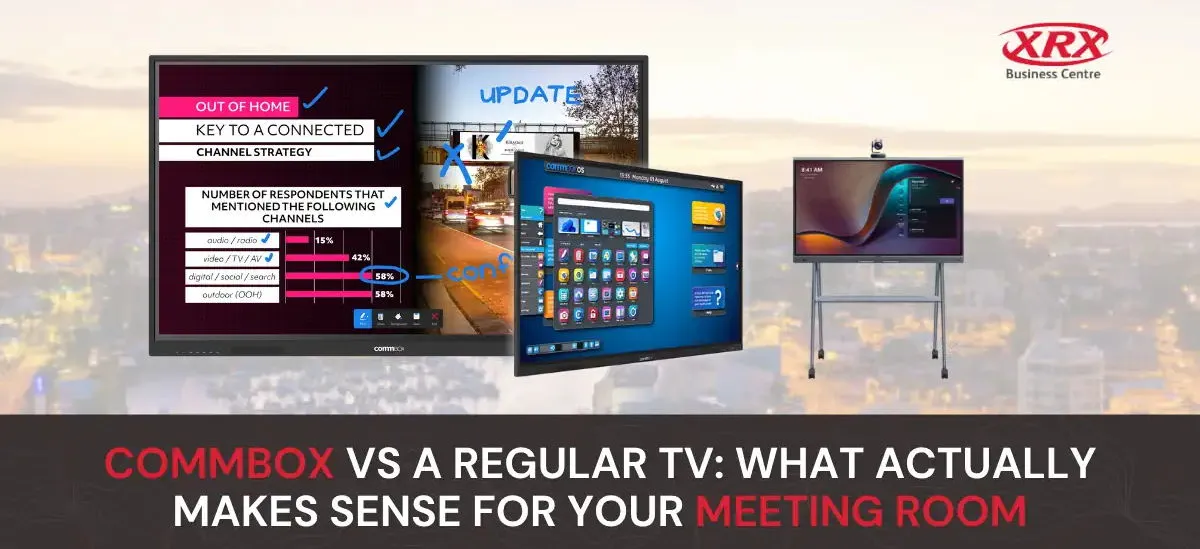
CommBox is an interactive touchscreen built specifically for collaboration, not just display. The practical differences:
- Touch and annotation. Anyone in the room can write, draw, or mark up a document directly on the screen, useful for whiteboarding a plan or reviewing a document together rather than just looking at it.
- Built-in video conferencing. Remote participants can join directly through the screen's own camera, microphone, and speaker setup, without someone needing to angle a laptop toward the room.
- Wireless screen sharing. Staff can share their screen from a laptop or phone without hunting for the right cable, which matters more than it sounds when a meeting is already running late.
- One system, less clutter. Instead of a TV, a separate conferencing camera, a speakerphone, and a laptop all cabled together, CommBox consolidates most of that into a single unit.
When a regular TV is still the right call
Not every meeting room needs this. If your space is mainly used for internal presentations to people already physically in the room, and remote participation or live collaboration genuinely isn't part of how your team works, a well-mounted TV is a perfectly reasonable, lower-cost choice. The upgrade to an interactive display makes the most sense when hybrid meetings, client presentations, or collaborative document review are a regular part of how the room actually gets used.
A quick way to decide
Ask honestly how your meeting room gets used in a typical month. If most meetings involve:
- People dialling in remotely
- Reviewing or marking up documents together
- Multiple people needing to share their screen during the same meeting
...then an interactive display like CommBox will likely save real time and frustration compared to a standard TV setup. If meetings are mostly presentations to a room full of people already there in person, a TV remains a sensible, cost-effective choice.