7 Questions to Ask Before Leasing an Office Printer in Townsville

Before you sign anything
A printer lease looks simple. A monthly payment, a shiny new machine, done.
Then the first bill lands. The click charges are higher than you expected. The contract rolls over on its own. And when the machine jams on a Friday afternoon, the 1300 number tells you a technician can come next week.
Most Townsville businesses don't get burnt by the printer. They get burnt by the questions they didn't ask.
We've been looking after printers in Townsville since 1984. These are the 7 questions we'd ask if we were in your shoes.
-
What do we actually need?
Start with how you print today, not what the brochure says. How many pages a month? How much is colour? Do you print A3, or only A4? Do you scan more than you print?
If you don't know, that's normal. A good provider will check your current machine's meter and work it out with you.
"Isn't a FUJIFILM machine overkill for us?"
We hear this a lot. FUJIFILM Business Innovation (formerly Fuji Xerox) has a reputation as the big-office brand. So small businesses assume it's too much machine and too much money.
Here's the truth. The brand isn't overkill. The wrong model is.
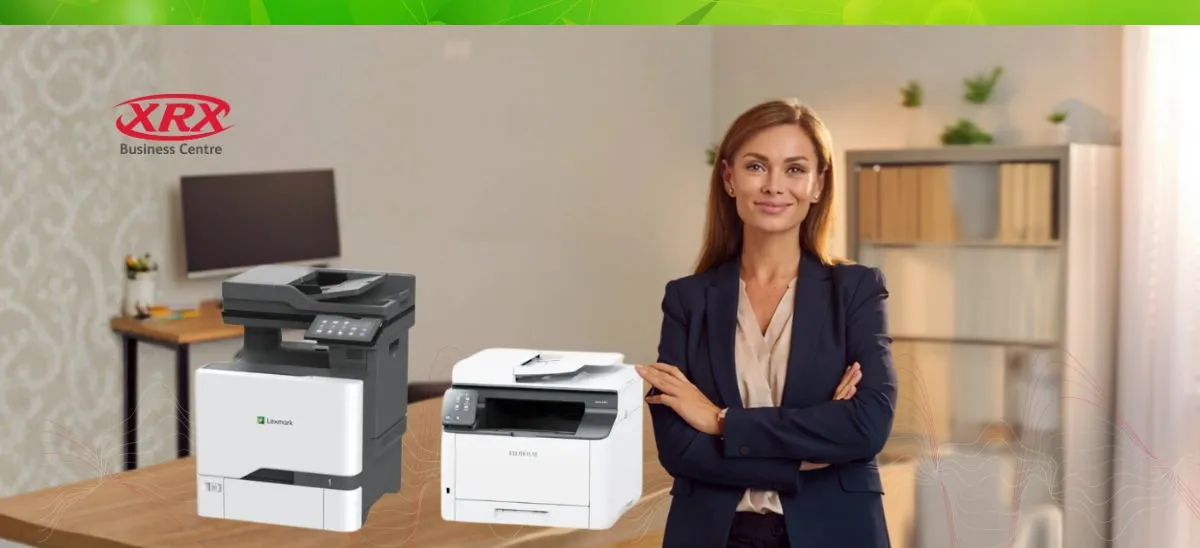
FUJIFILM makes everything from compact desktop A4 printers to large A3 multifunction devices. A 5-person accounting office doesn't need the same machine as a 60-person school. If someone quoted you a big floor-standing unit for 1,500 pages a month, that's a sizing problem, not a brand problem.
What you do get with FUJIFILM is reliability, easy-to-get parts, and solid security built in. For a small office, fewer breakdowns often matter more than a lower sticker price.
Our rule is simple. We size the printer to your volume, not the other way around.
-
What will it really cost each month?
Most printer leases have two costs:
- The lease payment. A fixed monthly amount for the machine.
- The cost per page (click charge). What you pay for each page printed. Colour costs a lot more than black and white.
The trap is comparing lease payments only. A cheap lease with high click rates can cost you more over the contract.
Here's an example using made-up numbers for an office printing 3,000 mono and 500 colour pages a month:
|
Quote A |
Quote B |
|
|
Lease payment |
$99 |
$139 |
|
Mono click rate |
2.5c |
1.2c |
|
Colour click rate |
15c |
9c |
|
Monthly page charges |
$150 |
$81 |
|
Total per month |
$249 |
$220 |
|
Total over 60 months |
$14,940 |
$13,200 |
Quote A looked cheaper. It costs $1,740 more.
Please note this is for demonstration purposes only; for an actual quote with correct prices, please contact us.
Also ask: Is there a minimum monthly page charge? Do click rates go up each year? Is freight or a service call-out fee extra?
-
What am I actually signing up to?
Read the contract before the sales rep leaves. Look for these:
- Term length. Most leases run 36 to 60 months. Longer usually means lower payments, but more total cost.
- Who holds the finance. Often it's a separate finance company, not the business that sold you the printer. That matters if you have a problem later.
- Automatic renewal. Some contracts roll over if you don't give notice in a set window. Put that date in your calendar.
- Early exit costs. What happens if you move, grow, or close? Get the payout terms in writing.
- Upgrade options. Can you upgrade mid-term if your needs change?
If an answer is vague, ask for it in writing.
-
Who actually fixes it when something goes wrong?
This is the question most people forget. And it's the one that matters most on a bad day.
A lot of printer leases are sold by national businesses that are great at marketing and finance. They run the ads, take the enquiry, sign the lease, and ship the machine. But they don't have technicians in Townsville.
So when your printer breaks down, the job gets passed to a subcontractor. Or a tech flies or drives in from Brisbane. Or parts get ordered from down south and you wait. Meanwhile your invoices, contracts and dockets sit in a queue.
Before you sign, ask:
- Where is your nearest technician based?
- Are they your own staff, or a subcontractor?
- What is your typical response time in Townsville?
- Do you keep parts and toner stocked locally?
- When I call, who do I talk to?
At XRX, the answer is easy. We're based in Townsville. Our technicians are our own team, and they know North Queensland conditions, from wet season humidity to dusty work sites. When you call, you talk to people who know your machine and your business.
That's the difference between "we'll log a ticket" and "we'll be there."
-
How do toner and supplies work?
Running out of toner shouldn't be a crisis. Ask:
- Is toner included in the cost per page, or charged separately?
- Does the machine order its own toner automatically when it runs low?
- How fast does it arrive?
- Are parts like drums and fusers covered?
The best setups are hands-off. The printer reports its toner level, new toner turns up before you run out, and you never think about it.
-
Is it secure, and will it work with our systems?
Modern office printers are computers. Most have a hard drive that stores copies of what you print and scan. For law firms, medical practices and real estate agencies, that's sensitive data.
Ask:
- Does it support secure print, so documents only release when you're at the machine?
- Can staff scan straight to email, SharePoint, OneDrive or your practice software?
- Who sets it up on your network, and who helps when an update breaks something?
- Can you track who prints what, and set limits on colour?
A printer that doesn't talk to your systems just creates more admin.
-
What happens at the end of the lease?
Think about the finish line before the start. Ask:
- Can I upgrade to a new machine, return it, or keep it?
- Who collects it, and is there a cost?
- How is the data on the hard drive wiped, and can I get proof?
- How much notice do I need to give?
Clear answers now save a messy argument in five years.
Get a straight answer before you sign
Already have a printer quote on your desk? We can help you check the numbers, flag anything that looks off, and tell you honestly if it's a good deal. No pressure, no obligation.
Or if your current printer is the problem, we'll look at what you print and recommend a machine that fits. Not the biggest one. The right one.
You've got enough on your plate. Tell us what's not working and we'll take it from there.