Wet Season Ready: Can Your Business Keep Working When the Office Can't?
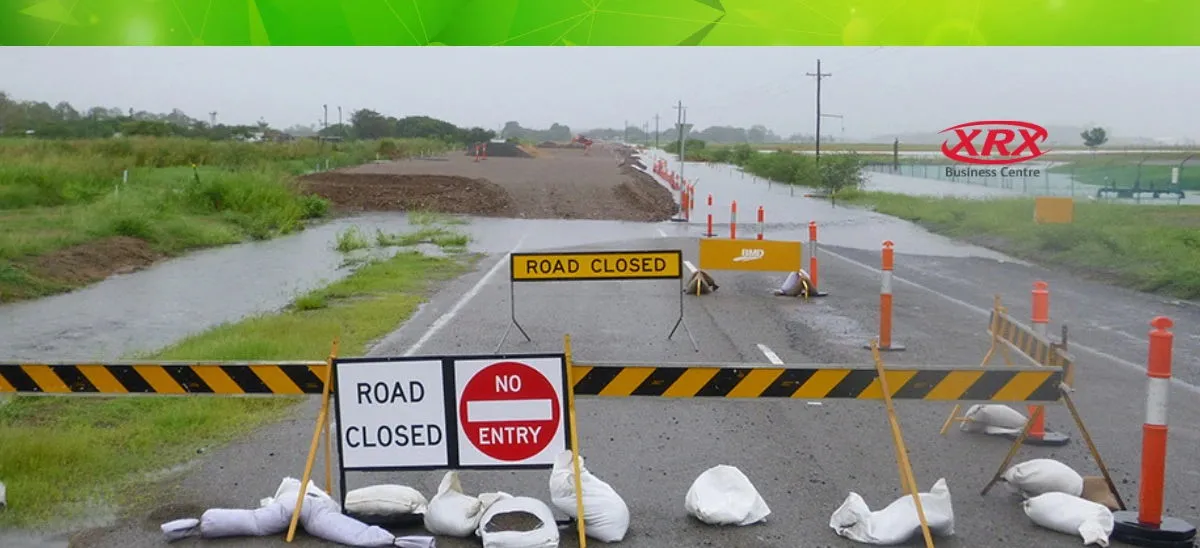
We know the wet season can be disruptive for businesses.
The question is how much will it affect your business this year?
Every North Queensland business owner knows the pattern. A monsoon trough parks over the coast. Roads close. The power drops out. Staff text to say the creek's up and they can't get in.
You've handled it before and you'll handle it again. What matters is how much of your business keeps running while you do.
When you're moving stock off the floor, calling the insurer and checking on your team, it's a bad time to find out the phones can't be diverted. Or that the files you need live on one PC in the back office. Or that nobody's sure the 4G backup actually works.
Here's a practical check of the four things that decide whether you keep trading: your phones, your internet, remote access and your paperwork.
Business phones: your number should follow your people
If your phone system lives in a box on the office wall, it's only as reliable as the building. If your business loses power or you lose access, your business loses calls.
A hosted phone system or Microsoft Teams Calling moves all of that to the cloud. Your team answers the business number from a laptop, a mobile app or a desk phone at another site. Callers can't tell the difference.
Set these up before you need them:
- Softphone apps on staff laptops and mobiles
- Call queues that ring staff wherever they're working
- A closure or delay message you can switch on in minutes
- After-hours and emergency routing rules
- Diversion to another branch or nominated mobiles
- Voicemail delivered to email
Owning a cloud phone system isn't the same as having a plan. Call flows, licences and logins need to be configured and tested before the rain starts. Ask yourself who can change your call routing at 6am on a Sunday, and whether they know how.
The same setup earns its keep all year. It covers staff working from home, an unattended reception desk and calls shared between Townsville and Cairns.
Business NBN and 4G backup: know what actually fails over
Plenty of businesses have a 4G backup built into the router and have never seen it work. A backup is only useful if you know exactly what it does.
Does your business-grade NBN have these six things:
- Does it switch over automatically, or does someone have to do it?
- Is mobile coverage solid inside your building, not just in the car park?
- How much data does the backup plan include?
- Are phones, EFTPOS and key cloud apps prioritised over everything else?
- Does the router stay powered in an outage? A small UPS can make the difference.
- Do your main and backup services rely on the same infrastructure? If they share a weak point, both go down together.
A well-designed backup keeps phones, email, EFTPOS and essential apps running, and stops everything else fighting over limited bandwidth.
The right setup depends on the business. A medical practice, a transport operator and a builder all have different priorities when the connection drops.
Remote work: more than taking a laptop home
Sending staff home with a laptop only works if they can securely get into what they need. That means:
- Managed laptops with current security updates
- Multi-factor authentication on email and Microsoft 365
- Files stored in OneDrive, SharePoint or your business system, not on one office PC
- Sensible permissions on customer and financial information
- A support number that someone actually answers
Disruption is prime time for scammers. Fake invoices, payment redirection emails and urgent requests that look like they're from the boss all spike when routines break down. Staff are on unfamiliar setups and can't lean over to check with a colleague.
One rule worth agreeing now: any change to bank details gets confirmed by phone, on a number you already have.
Printers and paperwork: the bit everyone forgets
Most businesses run on more paper than they realise. Signed forms, delivery dockets, accounts processing, client files. If the office is shut for a week, which of those stop?
A modern multifunction printer can scan straight to email, OneDrive, SharePoint or your document management system. Paperwork gets digitised as it comes in, so it's reachable from anywhere instead of sitting in a tray in a building nobody can get to.
Secure print and user login also keep documents private if you end up sharing a temporary space with another team.
Treat your printer as part of your IT setup, not a box in the corner.
Test it before the first big system rolls in
A plan you haven't tested is a guess. Pick a quiet half-day before the wet ramps up and work through this:
- Send a few staff home to work for the morning.
- Check they can open the files and apps their role needs.
- Make and take calls on the business number from home.
- Time how long it takes to change call routing and record a closure message.
- Unplug the NBN and confirm the backup kicks in. Don't trust the light on the router.
- Confirm who can authorise urgent phone or IT changes.
- Update contact lists for staff, suppliers and your tech support.
- List anything that depends on one person, one PC or one building.
Most businesses find two or three small problems. Better to find them in October than in February.
How XRX keeps North Queensland businesses trading
XRX Business Centre has supported North Queensland businesses since 1984. We've seen plenty of wet seasons. The businesses that come through best are the ones that sorted their technology before the rain.
We bring your phones, internet, IT and printing together under one local provider:
- Hosted business phones and Microsoft Teams Calling, with Yealink handsets
- Business NBN with properly configured 4G backup
- Managed IT support, device management and Microsoft 365
- Call flows set up across staff, branches and mobiles
- Fujifilm multifunction printers and scan-to-cloud workflows
- Local technicians in Townsville and Cairns who know what this time of year looks like
We can't stop the rain. We can remove the weak points, make your systems easy to move and give you one number to call when things change.
Book a wet season technology check. We'll review your phones, internet backup, remote access and document workflows, then tell you plainly what needs fixing and what doesn't.
You've got enough on your plate. Tell us what's not working. We'll take it from there.
XRX Free Audit
[Explore our business solutions] · [Contact our Townsville team]
XRX Business Centre: business printers, copiers and managed print in Townsville and North Queensland.
Not in North Queensland? Visit our FX Business Technologies, based in Cairns, servicing Far North Queensland [Contact our Cairns Team]