

Microsoft Teams Calling - Professional Business Phone System for North Queensland Businesses
Transform Microsoft Teams into a cloud-based telephony platform that replaces your traditional phone system, improves customer experience, and cuts ongoing costs. And because XRX’s support team is based in North Queensland, you get local experts who answer your calls and resolve issues quickly.
Microsoft Teams Phone System
Turn Microsoft Teams Into a Full Business Phone System. No Old PBX, No Hardware Hassles, Just Modern Calling with Local Support.
Microsoft Teams Calling provides the calling features that every organisation needs. Pair it with Direct Routing or Calling Plans so your business can make and receive calls from everyone and everywhere.
- Enterprise cloud calling
- Collaborative calling experiences
- Customer support experiences
- Global administrative experiences
What is Microsoft Teams Calling?
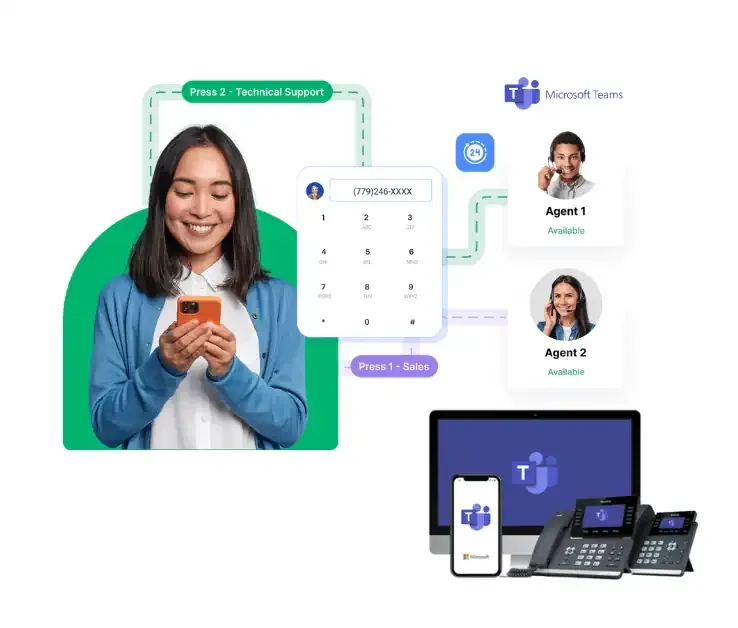
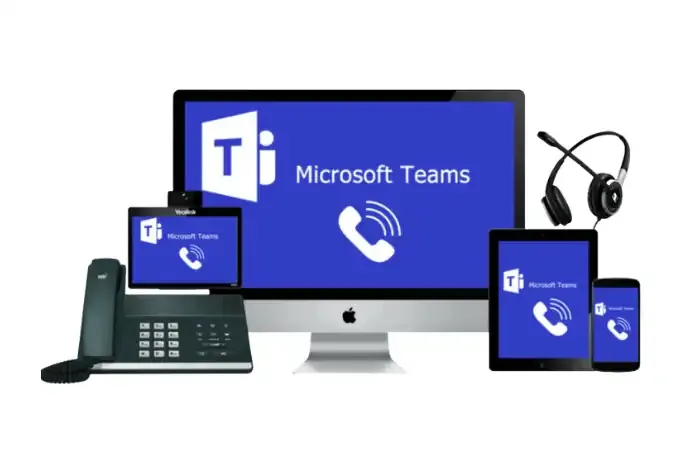
Microsoft Teams Calling is a great way to call from an application on your phone or computer. The reliable call software paired with Microsoft Teams makes this an ideal communication solution for any business.
Transform your Microsoft Office license into a fully functioning cloud voice and collaboration platform. Replace your business phone system and make calls to and from the public network with Microsoft Teams calling.
Microsoft Teams gives you chat and meetings. But out of the box, it doesn’t handle professional customer calls. When you integrate proper telephony, Teams becomes a full business phone system one that scales with your business and keeps your customers connected.
Microsoft Teams Calling outruns competing integration with customer-focused features including:
-
Professional Auto Attendant / IVR - give callers a polished experience.
-
Call Queues & Workflows - handle busy periods without dropped calls.
-
Voicemail & Transcription- never miss a message, accessible on any device.
-
Centralised Numbers - one business number that follows your team everywhere. (Mobile and desktop calling from the same business number)
-
Call recording (where required)
- CRM integration
- Cloud-based redundancy
You can assign call-based employees to varying call queues to support your customer interactions, and users can transition between the office and their preferred device seamlessly.
- No onsite phone system.
- No ageing hardware.
- No separate conferencing tools.
- Just one integrated communication platform.
With the right setup, MS Teams Turns Into a Complete Business Phone System
By integrating Microsoft Teams Calling, your business gains:
- A complete cloud PBX
- A system that handles public phone calls
- A professional front-of-house solution
- A scalable phone platform for growing teams
Why North Queensland Businesses Choose XRX
Loved by local businesses, we are currently ranked 4.8 on Google Reviews
Locally based support team that answers calls quickly
Fast onboarding & configuration (we know Microsoft Teams + telco).
No offshore call centres.
Training included.
Ongoing optimisation services.
How Much Does a Microsoft Teams Business Phone System Cost?
One of the first questions businesses ask when considering Microsoft Teams for phone calls is: “How much will it cost?”
It’s a smart question, but there’s no one-size-fits-all number we can give upfront, because the cost depends on a few important factors that vary from business to business. What is consistent is this: Microsoft Teams Calling, when set up correctly, can be more cost-effective and flexible than traditional phone systems, and this cloud based system avoids many hidden expenses that come with older technology.
| Cost Area | Traditional PBX System | Microsoft Teams Phone System |
| Upfront Hardware | PBX box, handsets, cabling, installation | No PBX hardware required. Cloud-based system. |
| Maintenance & Repairs | Ongoing service contracts and repair call-outs | No on-site hardware to maintain |
| Scalability | Add hardware and technician visits | Add users via licensing - fast and flexible |
| Mobility | Limited to desk phones | Call from laptop, mobile or optional desk phone |
| Licensing Model | Often fixed capacity regardless of usage | Role-based flexibility - pay only for what each user needs |
| Business Continuity | Office outage = lost calls | Cloud rerouting to mobile or alternate devices |
See How Much You Could Save
No obligation. No pressure. Just clarity.
Complete the short form below to book your Free MS Teams Phones Review.