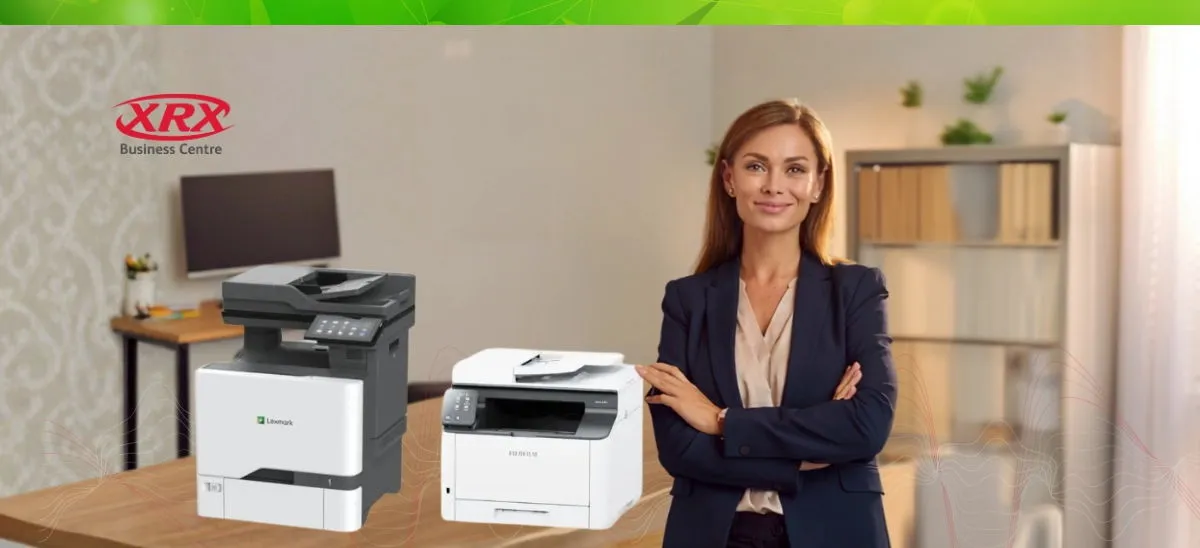
What Type of Printer Is Best for Small Business? (2026 Buyer’s Guide)

Which Printer is Best for Your Small Business? (2026 Buyer’s Guide)
Choosing the best printer for a small business isn’t about buying the cheapest device on the shelf. It’s about reducing cost per page, improving workflow efficiency, protecting document security, and ensuring reliability as your business grows.
If you’re searching:
- What type of printer is best for small business?
- Laser vs inkjet for business printing?
- What’s the most cost-effective office printer?
This guide breaks it down clearly, so you can make a smart investment.
The Short Answer
For most small businesses, a business-grade laser printer or multifunction printer (MFP) is the best choice.
Inkjet printers can work for specific use cases, but for speed, durability, and long-term savings, laser wins in the majority of office environments.
Let’s unpack why.
Laser vs Inkjet: What’s Better for Small Business?
Laser Printers (Best for Most Offices)
Why laser printers dominate business environments:
 Faster print speeds (20–60+ pages per minute)
- Lower cost per page
- Higher monthly duty cycles
- Sharp, professional text output
- Toner doesn’t dry out like ink
- More durable for daily use
Laser printers use toner instead of liquid ink, which makes them more reliable in busy offices where printing happens every day.
Best for:
- Professional services (legal, accounting, consulting)
- Townsville and Regional Medical Clinics
- Townsville and North Queensland Real estate offices
- Queensland Schools
- Growing small businesses
Inkjet Printers (Best for Low-Volume or Design Work)
Inkjet printers are typically cheaper upfront and produce vibrant colour, especially for images.
However:
 Ink cartridges are expensive
- Ink can dry if unused
- Slower speeds
- Higher long-term cost per page
- Not ideal for heavy-duty use
Best for:
- Home-based businesses
- Graphic designers printing photos
- Very low monthly print volumes
For most established small businesses, inkjet becomes more expensive over time.
Should You Buy a Single-Function Printer or a Multifunction Printer (MFP)?
For nearly all small businesses, a multifunction printer (print, scan, copy, and often fax) is the smarter choice.
Why MFPs make sense:
- Save office space
- Improve workflow efficiency
- Enable document digitisation
- Support cloud storage integrations
- Reduce need for separate machines
Modern business MFPs include:
- Secure print release
- Network connectivity
- Scan-to-email / cloud
- Mobile printing
- User authentication
For growing businesses, this is critical!
Key Factors to Consider Before Buying
 Monthly Print Volume
Estimate how many pages you print per month.
- Under 500 pages → Entry-level device
- 500–3,000 pages → Mid-range business laser
- 3,000+ pages → Commercial-grade MFP
Underestimating volume leads to constant breakdowns.
 Cost Per Page (Not Purchase Price)
The cheapest printer often becomes the most expensive.
Look at:
- Toner yield
- Drum life
- Maintenance kits
- Energy efficiency
- Service availability
Total Cost of Ownership (TCO) matters more than shelf price.
 Black & White vs Colour
Ask yourself:
- Do you need colour daily?
- Or just occasionally?
Colour laser printers cost more to run. Many businesses can operate efficiently with a fast monochrome device and outsource occasional colour jobs.
 Connectivity & Integration
Modern offices require:
- WiFi / Ethernet
- Cloud integration (Google Drive, OneDrive, SharePoint)
- Secure print authentication
- Mobile printing (iOS / Android)
If your printer isn’t secure, it’s a network risk.
Recommended Printer Types for Small Businesses
Here’s a simplified breakdown:
|
Business Type |
Best Printer Type |
|
Startup / Home Office |
Compact laser MFP |
|
Professional Services |
Monochrome laser MFP |
|
Retail / Hospitality |
Fast laser with receipt capability |
|
Creative Studio |
Colour laser or high-end inkjet |
|
Growing Office (5–20 staff) |
Commercial-grade multifunction laser |
What About Leasing vs Buying?
Many small businesses benefit from a managed print agreement rather than purchasing outright.
Advantages of managed print:
- Predictable monthly costs
- All toner included
- Maintenance covered
- No large capital expense
- Automatic supply replenishment
If printing is essential to your operations, downtime costs more than monthly payments.
The Final Verdict
If you want the best printer for a small business in 2026:
- Choose laser over inkjet
- Choose multifunction over single-use
- Focus on cost per page, not purchase price
- Plan for future growth
- Prioritise security and reliability
The “best” printer isn’t the cheapest; it’s the one that supports your workflow without interruption.
If you’re unsure what printer fits your business model, usage volume, and growth plans, a short needs assessment can prevent years of overspending.
A printer should improve productivity, not become another operational headache.